Monday, 31 January 2011

Friday, 7 January 2011
Magazine Advert

I added in critics 'reviews' of the single to fill in the gap on the draft advert and also to follow the conventions of a magazine advert for a single. I repositioned the artist and single name as I felt it looked better in the new position and also was clearer on the advert. I kept the main image the same as I looked at various magazine adverts and the only image is the single/album cover.
First Draft Magazine Advert

After looking at various magazine adverts for albums, I found out the certain elements that need to be on a single advert such as the date of the release and the record company. Just like the other adverts, I used the single cover as the main and only image as the people reading the magazine would need to be able to recognise the single so that they could purchase it with ease. I used the same font and colours from the digipak again so the public would be able to find it quickly.
Saturday, 1 January 2011
Draft for digipak
 I attempted to carry the American High School theme throughout the digipak, I did this by using the 'polaroid' images (the Polaroid camera was invented in 1948 and gained popularity in the '50's) and using a 'Yearbook' to display my other images. I carried a colour theme throughout the digipak of Purple, Yellow and White, this is because the posters we made for the music video consisted of these colours, the imaginary school took on these colours as their own.
Thursday, 16 December 2010
Photoshop: Yearbook photos
Original Photo:
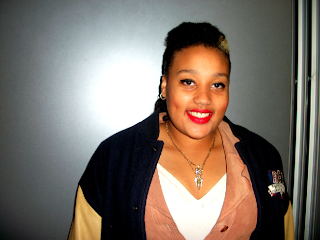


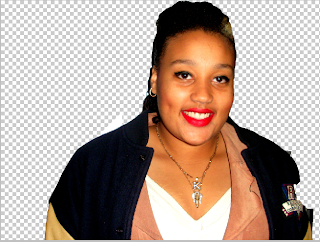
Step 2: I then placed Karshena back on her original photo

Step 3: I then used the black and white button to change the colour of the photo.


Step 4: I used the Gradient tool to give the photo a washed out look as I want the pictures in the Yearbook to look dated.
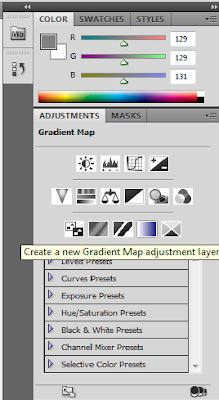

Step 5: I changed the opacity of the Gradient so the photo only looks slightly washed out.

I did the same for the two other 'yearbook' photos on side 3 of the digipak.
Wednesday, 15 December 2010
Back of Digipak
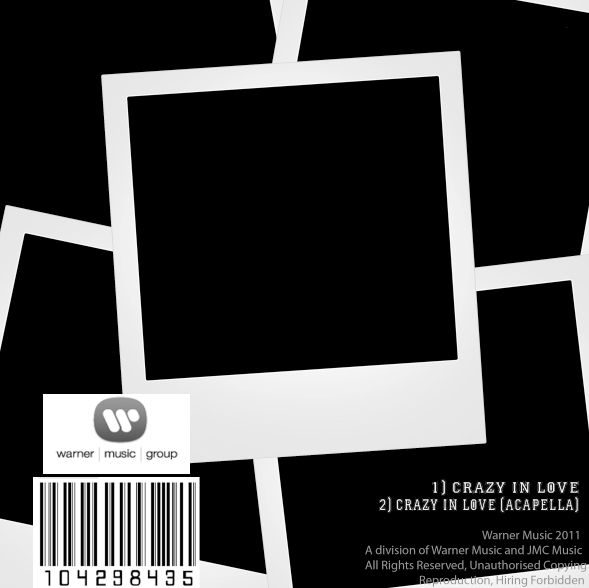
I decided to design the back of the digipak as if it was the back of the front cover, this is why I have blank polaroids. After looking at various albums and singles and also the work of the last A2 students, I discovered that most do not feature pictures of the band. I also found out the sort of information that the back of the digipak needs such as the music company name, a barcode and various legal information.
draft 2 for side 3
 After receiving feedback for my digipak drafts, I found out that I couldn't use 'found' images. I removed the right side of the 'yearbook' and replaced it with my larger original photos. I decided to carry on the high school theme for this part of the digipak and have created a yearbook with the lead singer and the love interest from the video as the Prom King and Queen. I used the photographs that I took to show the transformations for the digipak yearbook photos. After looking at old American yearbooks online I copied the style of the photographs by making them black and white and slightly lowered the gradient for a washed out look.
Subscribe to:
Posts (Atom)